How to Text Your ChatGPT Dot in Google Messages (RCS)
ChatGPT Dot texting is a limited Pro beta. Check account eligibility and your Android RCS connection separately, then link your phone in ChatGPT. Here’s what works, what to try when it doesn’t, and what the privacy trade-off is.
What ChatGPT Dot texting does
A dot is an assistant you create in ChatGPT. OpenAI added the ability to text your dot through RCS on Android and iMessage on iPhone. On Android, Google Messages can carry the conversation when RCS is connected. The feature is a one-to-one channel with your own dot. It does not give your dot access to your other text threads, and SMS is unsupported. OpenAI’s feature announcement · OpenAI’s setup and texting FAQ
What can you do with one text?
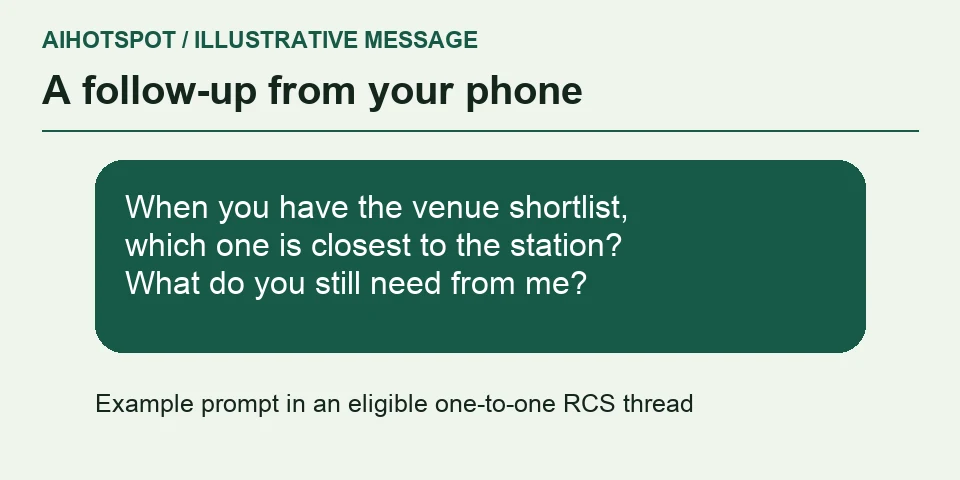
Imagine leaving your desk while your dot is comparing three public conference venues. From Google Messages, you could send: “When you have the venue shortlist, tell me which one is closest to the station and what you still need from me.” The interesting part is being able to follow up with the same dot from the message thread you already use. This example illustrates the kind of request to try. Availability, timing and replies depend on the account and task.
Where did Dot texting come from, and how does it work?
OpenAI announced texting for dots on October 28, 2026. A dot is an assistant in ChatGPT that can work on an ongoing project. Texting adds a way to reach that assistant from an eligible phone number. On Android, Google Messages handles the RCS conversation. OpenAI says its messaging provider, Linq, handles delivery, and the texts are stored as part of the dot’s ChatGPT conversations. This explains why an active RCS connection on your phone and an enabled Texting switch on your account are both necessary. OpenAI announcement · OpenAI setup and privacy notes
Check whether you can use it
| Check | What you need |
|---|---|
| ChatGPT account | As checked November 11, OpenAI describes texting as a beta for a limited number of Pro users in the United States, Canada and Mexico. Business and Enterprise workspaces do not support texting. Dot access on its own doesn’t establish texting eligibility. |
| Feature switch | Open your dot’s profile. If you don’t see Texting, OpenAI says it isn’t available for your account yet. |
| Android phone | Google Messages with RCS chats enabled and the status Connected. |
| Phone number | You must verify the number you will use to message your dot. |
These are separate checks. The steps come from the current OpenAI and Google documentation. This guide does not claim a hands-on test on an eligible device. OpenAI Help · Google Messages Help
The AIHotspot Desk · Take. Open the dot’s profile before touching your phone settings. No Texting switch means the block is on the account side. You can spend an afternoon debugging your carrier and make precisely zero progress.
How to set it up on Android
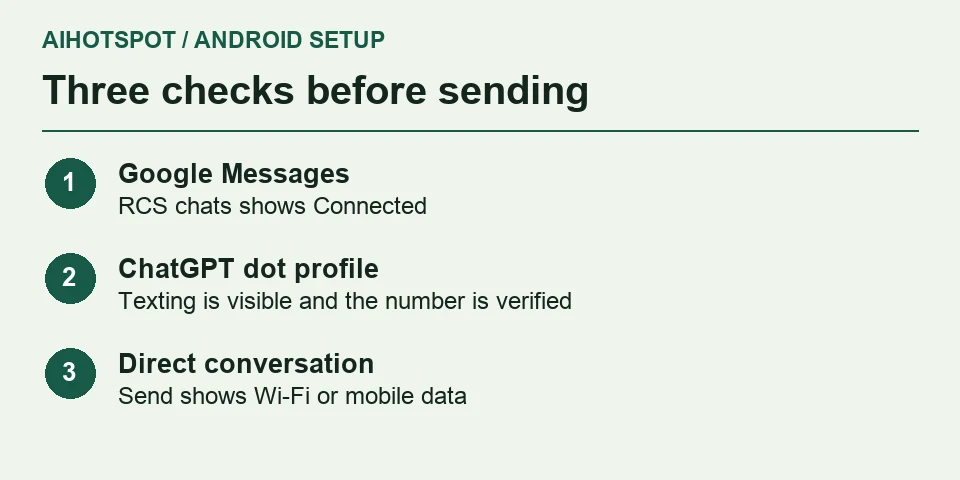
- In Google Messages, open your profile menu, then Messages settings → RCS chats. Turn it on if needed and check that the status is Connected. Google Messages Help
- In ChatGPT, open the dot’s profile and choose Texting. You can start from the mobile app, desktop app or desktop web.
- Enter your mobile number, request the confirmation message and enter its code to verify the number. Follow the official in-app instructions for your dot’s contact.
- Draft a low-sensitivity message to your dot, such as “What are two things you can do by text?” Before sending, check the Send icon in Google Messages. With RCS, it shows that the message will use Wi-Fi or mobile data. If it shows SMS or MMS, use ChatGPT instead. Google’s guide to the Send icon · OpenAI’s setup instructions
After linking, test with a question that has an obvious answer and uses no personal information. Check that the message sends over data, then look for a reply in the direct thread. If the account has texting but Google Messages falls back to SMS, go back to the RCS status check. If the Texting switch is missing, changing your carrier settings cannot make the account eligible.
If Texting is missing or the message fails
| Symptom | First check | Next step |
|---|---|---|
| There is no Texting setting | Correct account, eligible plan and account-level rollout | Use your dot in ChatGPT and check the profile again later. |
| RCS shows Connecting or Not supported | Number verification, internet connection and carrier support | If it says Connecting, wait for verification. If the carrier has disabled RCS, contact the carrier. See Google’s RCS troubleshooting steps for other cases. |
| The message goes as SMS | Conversation transport and the number you verified | Use RCS or return to ChatGPT. An automatic reply to an SMS does not mean the dot can continue there. |
| You’re texting from another line or from a group | Verified sender and conversation type | Use the verified number in a direct thread. |
OpenAI troubleshooting and limitations · Google’s RCS status guide
Privacy, group chats and turning it off
OpenAI says Linq processes messages on their way to OpenAI, so texts between you and the dot are not end-to-end encrypted. OpenAI stores the texts as part of the dot’s ChatGPT conversations. The dot cannot read your other messages or join group chats. Reply STOP to stop receiving texts, or switch off Texting in the dot’s profile. Turning it off does not erase prior conversations or saved memories. OpenAI’s texting privacy and controls
When texting is useful
The AIHotspot Desk · Take. Texting earns its place for quick, low-sensitivity follow-ups when you’re already in Messages. Keep approvals and tasks that need more context in ChatGPT. My test for a worthwhile shortcut is whether I can ask in one line and understand the reply without reopening the project. A simple status update passes. A task that needs attachments, sensitive details, or an important approval belongs in the app with the full context in view. RCS makes the channel convenient, while the Linq handoff and ChatGPT storage still matter when deciding what to send.
Sources and updates
We checked OpenAI’s current Help Center alongside its October 28 announcement and Google’s RCS guide on November 11, 2026. The current help page takes precedence over launch-day coverage for plan and regional eligibility. AIHotspot is an independent publication.